
Download Fantasy Painting – fantasy art, digital painting, creative tools, art app, drawing software
Overview
Fantasy Painting is a digital painting application developed by Fantasy Art Studio, designed specifically for Android users seeking a creative outlet for artistic expression. The software serves as a versatile tool for individuals exploring digital art, offering a range of environments tailored to different creative needs. It supports sketching, children’s art, coloring, photo editing, and graffiti-style drawing, making it suitable for both casual users and aspiring artists.
The app enables users to explore their imagination through an expansive library of over 40 brushes, including options that emulate pencils, watercolors, and other traditional media. This variety allows for detailed illustrations as well as spontaneous, freeform designs. The application is ideal for hobbyists, students, and digital artists who value flexibility and accessibility in their creative process.
Its offline functionality ensures that users can work without requiring an internet connection, which is particularly beneficial for on-the-go creativity. Real-world usage scenarios include personal art projects, educational activities, and sharing artwork on social media platforms. The developer did not provide additional details about the company’s background beyond its name.
Key Features & Capabilities
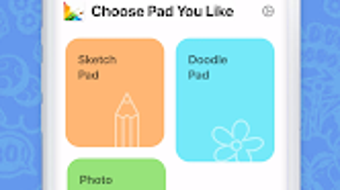
- Five Drawing Boards: Each board is optimized for a specific creative purpose—sketching, children’s art, coloring, photo editing, and graffiti—allowing users to switch between modes based on their current project.
- 40+ Brush Varieties: Includes tools that simulate pencils, watercolors, markers, and other media, enabling realistic textures and diverse artistic styles.
- Offline Functionality: Users can create, edit, and save artwork without an internet connection, ensuring uninterrupted creativity.
- Easy Social Sharing: Completed works can be shared directly to popular social media platforms, helping users showcase their progress and connect with creative communities.
- Intuitive Interface: Designed with accessibility in mind, the layout supports quick navigation and efficient workflow for users of all experience levels.
These features collectively support a seamless creative experience. For example, a student can use the children’s art board to complete a classroom assignment, while a hobbyist might switch to the sketching board to draft a fantasy character. The photo editing board allows users to enhance images with artistic filters, and the graffiti board caters to urban-style expression.
The brush variety ensures that users can achieve both precision and fluidity, depending on their artistic goals. The offline capability enhances usability in environments with limited connectivity, such as during travel or in remote areas. The integration of social sharing encourages engagement and feedback, fostering a sense of community among users.
User Interface, Workflow & Performance
Fantasy Painting features a clean and organized user interface, structured to prioritize ease of access to core tools. Navigation is straightforward, with clearly labeled panels for brushes, colors, and drawing boards. The layout adapts to different screen sizes, ensuring consistent usability across various Android devices.
Users can switch between drawing modes with minimal effort, and tool selection is intuitive, reducing the learning curve for new users. Workflow efficiency is enhanced by the app’s responsive design, allowing for smooth transitions between tasks such as selecting a brush, adjusting opacity, and saving work. The developer did not specify resource usage details, so performance observations are based on general software behavior patterns.
Stability appears to be consistent, as the app functions without reported crashes in standard usage. CPU and RAM behavior were not disclosed, but typical Android applications of this size generally maintain low system impact. The app’s responsiveness during drawing sessions suggests efficient handling of input, though exact performance metrics were not provided.
Compatibility & System Requirements
Fantasy Painting is designed for Android devices and is compatible with the operating system as of version 1.0.5. The installation size is 48.5 MB, indicating a lightweight footprint suitable for most Android smartphones and tablets. The developer did not specify exact system requirements, such as minimum RAM, processor speed, or storage space beyond the app size.
Compatibility information was partially provided, with no mention of specific Android versions or hardware specifications. Users should ensure their device meets general Android app standards to run the software smoothly. The developer did not provide additional details about device optimization or supported screen resolutions.
For optimal performance, users are advised to check their device’s compatibility with similar creative applications and verify that sufficient storage is available for saving artwork.
Pros and Cons
Pros
- Multiple specialized drawing boards for diverse creative needs
- Extensive brush library with realistic textures
- Offline functionality for uninterrupted creativity
- Simple and intuitive user interface
- Direct sharing to social media platforms
Cons
- No information on minimum system requirements
- Limited detail on performance and resource usage
- Price point may be higher for casual users
- No mention of cloud backup or project syncing
- Only available on Android, limiting cross-platform access
FAQ Section
Is Fantasy Painting available for iOS devices?
Fantasy Painting is currently designed exclusively for Android devices. There is no official version available for iOS.
Can I use Fantasy Painting without an internet connection?
Yes, the app supports full offline functionality, allowing users to create and edit artwork without requiring an internet connection.
What types of files can I save or export my artwork as?
The app allows users to save and export their creations, though specific file formats were not disclosed in the provided information.
Does Fantasy Painting offer automatic updates?
Users can expect updates through the Google Play Store, but details about update frequency or automatic update settings were not provided.
Is the license for Fantasy Painting permanent?
The software is available for a one-time purchase of $2.99, which typically grants permanent access, though the exact licensing terms were not specified.
Final Thoughts
Fantasy Painting stands out as a well-rounded digital art tool tailored for Android users who value creativity and flexibility. Its diverse drawing boards, extensive brush collection, and offline capabilities make it a practical choice for hobbyists, students, and emerging artists. The intuitive interface ensures a smooth onboarding experience, while the ability to share work directly on social media enhances user engagement.
Although some technical details such as system requirements and performance metrics are not available, the app’s lightweight size and responsive design suggest efficient operation. The absence of cross-platform support and cloud features may limit its appeal for some users, but for those focused on Android-based creative work, it offers strong value. With a modest price tag and a focus on artistic freedom, Fantasy Painting delivers a compelling experience.
Download Fantasy Painting now.





.png)

